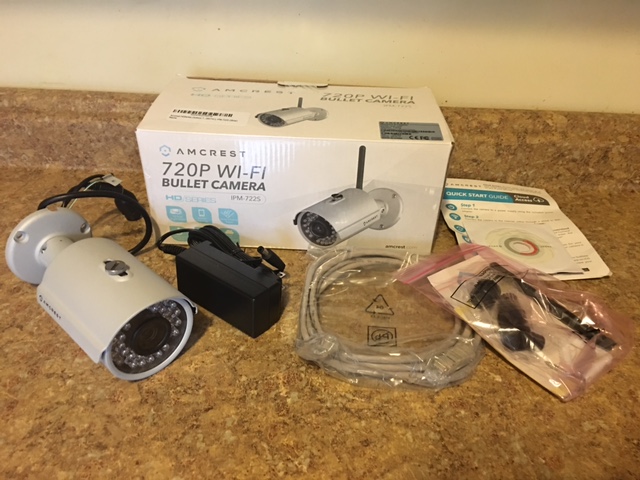
PRODUCT REVIEW –Amcrest HDSeries Outdoor 720P WiFi Wireless IP Security Bullet Camera – IP66 Weatherproof, 720P (1280TVL), IPM-722S
I had some issues at first with this camera but now that it is up and running I really like it. Here are some things you should know before you buy it though. There is no instruction manual, there is only a quick start guide in the box, and a mini cd which I couldn’t use on my mac mini, because I have no cd tray. You can very easily go to the website and download a pdf of the entire manual. I really had this thing going in about 4 minutes without even reading the manual. Make sure you screw on the wifi antenna right away I totally forgot and then wondered why I couldn’t connect to wifi, duh. I had a problem picking out where I was going to install it because it is wired and needs an outlet to plug into, it does work on wifi so you don’t need to plug in the ethernet cable unless of course you want to use the NVR and record things yourself. The camera records on the amcrest cloud which is free for one camera (you can pay a fee and add up to 64 cameras), but is limited to 4 hours of recording or you need to subscribe, if you want to keep the recordings for 7 days its $6 per camera, 14 days $10 per camera and 30 days $15 per camera. I looked at the recordings and they are excellent and there is no lag. I checked the night vision and that is really good too. Otherwise you need the amcrest NVR which isn’t a bad idea for multiple cameras and recording the video yourself. The amcrest app has many settings and you can connect your camera to your wifi network from there, I was able to scan the code on the camera and viola it showed up, you can change some settings on the app but there are more settings through the IP address on your web browser. I am having problems with the app (4/8/2016), sometimes it works other times it says ‘login timed out’ (I called Amcrest and they said this is a known issue they are working on). I try through the browser at amcrestview.com which is free but it tells me the device is offline (same issue that the app has which they say they are working on) so I can only view my live feed when I am home which is silly. I called Amcrest support and found an awesome tech named Mario who showed me another way to view my cameras when I am away from home. Apparently there is Blue Iris software (I think it’s $50) which allows you to record to your computer but I don’t know because I have a mac and the software is for windows only. I tried downloading three different security software programs for mac and none of them recognized my amcrest camera. There is no SD card in this, so the only way for me to record something the way I have it setup is to manually hit the record button or hit the take a picture button when I am viewing the live feed, and then it will save to my computer. It does not record to my computer when there is motion on its own, looks like I do need the NVR if I want constant recordings unless I want to pay a fee to amcrest cloud. I had trouble setting up the email alerts at first with gmail, I did a little bit of googling and found out that I had to change a setting on my gmail which allows less secure apps to access my gmail and it worked fine after that. After one day I noticed a lot of flickering on the screen on my live feed and some red and blue colors would flash on my live feed and app as well. I called customer service and they gave me an RMA number and a prepaid label and had me return it. I just got the new camera and hooked it up the the NVR so at least I have my own recordings. I am disappointed that the app and the amcrestview do not work and shows my camera as offline when I am watching it live on my computer I am hoping they fix this soon. I spent a lot of time on the phone to get this thing working properly with my NVR. It is not so mac friendly but it works great now. The picture is great and I am really happy with it. I think it would be much easier to set up with a PC.
I received this product at a discounted price in exchange for an honest review
Amcrest Outdoor Bullet Camera buy here on Amazon